How to Create and Publish a Post in Typoro
Follow these simple steps to turn your ideas into polished LinkedIn content using Typoro:
Log In
Start by logging in to your Typoro account. If you don't have an account, you can sign up here.
Navigate to the Create Section
On the left-hand side menu, click Create to start a new post.
Add Your Content
In the “Create a Post” box:
• Enter your topic or rough notes.
• Add any ideas, drafts, transcripts, or fragments.
• Don’t worry about structure or trying to be logical, just capture your thoughts.
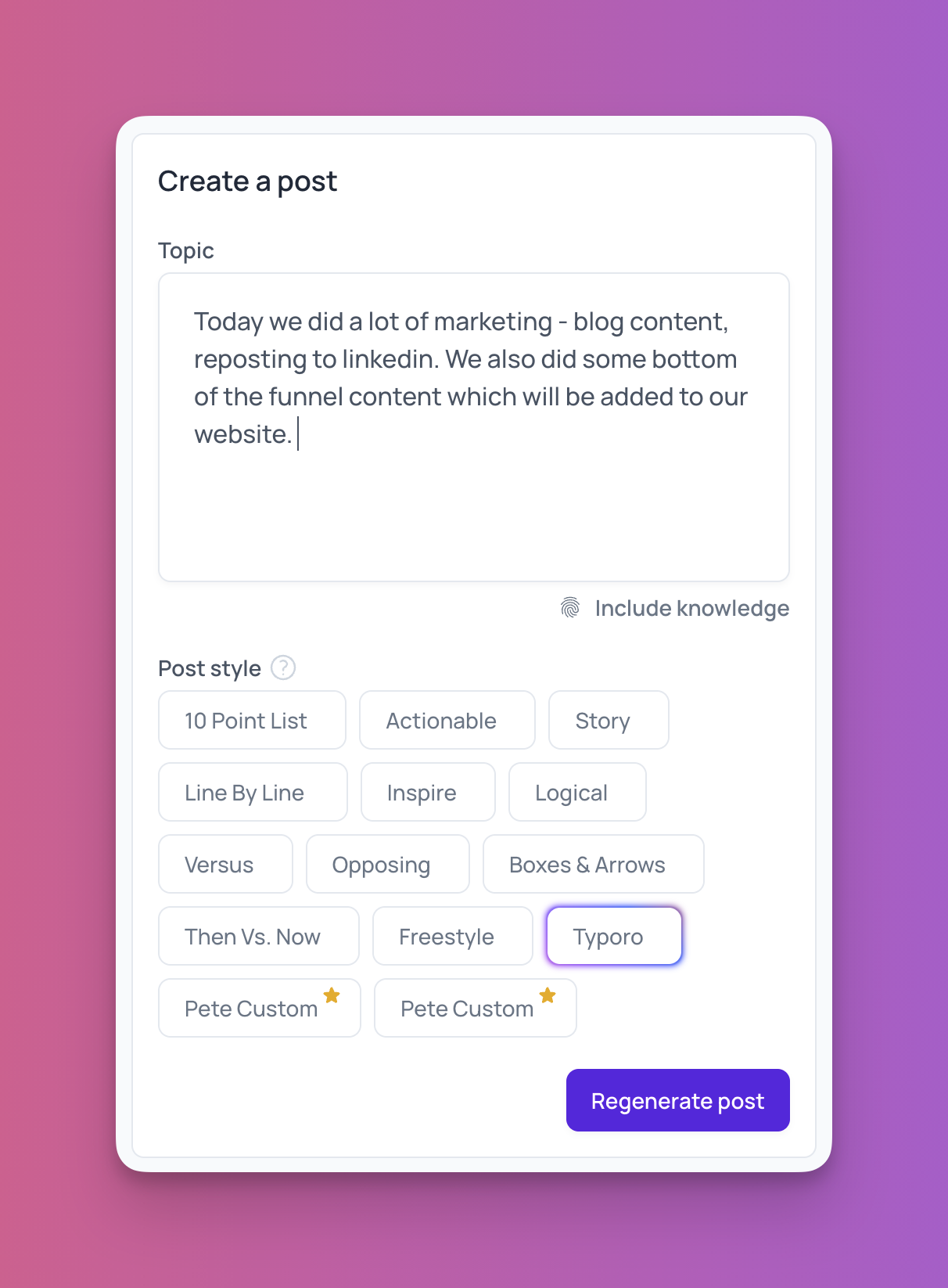
Choose a Posting Style
Select a posting style from the available options that best suits your message.
Click ‘Create Post’
Once you’re ready, click the Create Post button. Your post will be generated and appear on the right-hand side of the screen.

Edit and Finalize
Click on your generated post to:
• Tidy up the structure
• Edit any content you’d like to improve or update
Post or Schedule
Your account must be authenticated to post or schedule from Typoro to LinkedIn.
When your post is ready:
• Click Post Now to publish directly to LinkedIn, or
• Click Schedule to post it at a later time.