
How to View Post Reactions in Typoro
You can easily see how many reactions your LinkedIn posts have received directly inside Typoro.
Follow these steps:
-
Go to your Post Library
From the left-hand menu, click Post Library to view all your posts.
-
Filter by Posted
Use the filter at the top to show only posts that have been published to LinkedIn.
-
Open the Reactions Menu
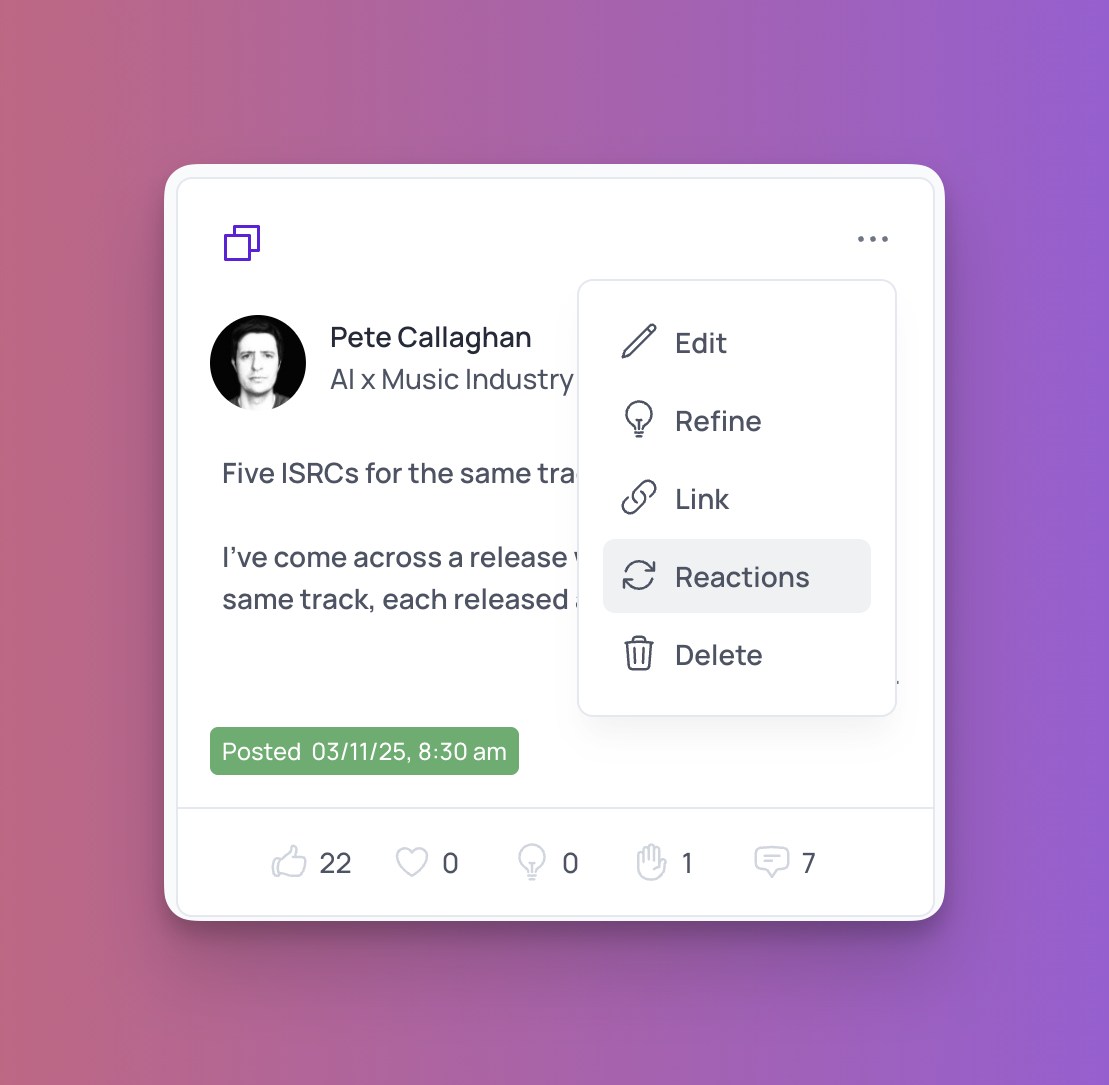
In the top-right corner of each post card, click the three dots (•••) and select Reactions.
-
Sync with LinkedIn
Typoro will connect to the LinkedIn API and automatically sync your reactions data.
-
View Your Results
You’ll see how many likes, comments, and other reactions your post has received.
Use these insights to gauge which posts perform best and refine your future LinkedIn content strategy.